Toro Catalog
Interactive demoScan it, order it — on a rugged handheld, an Android phone or an iPhone.
A working demo on sample data — click around, nothing is saved or sent. Open full-screen ↗
Zebra hardware trigger via DataWedge — scan from any screen
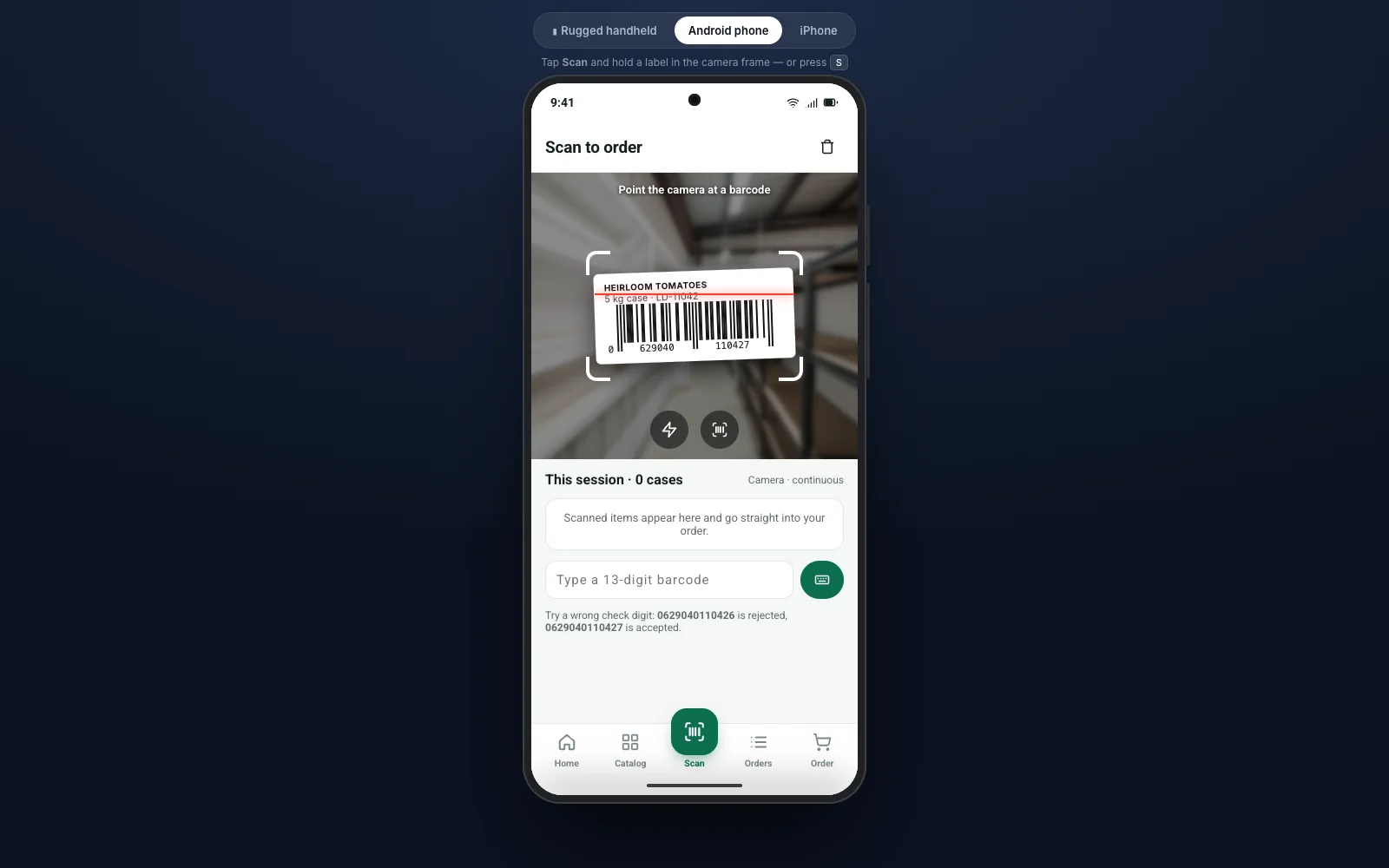
Camera scanning on Android and iOS with EAN-13 validation
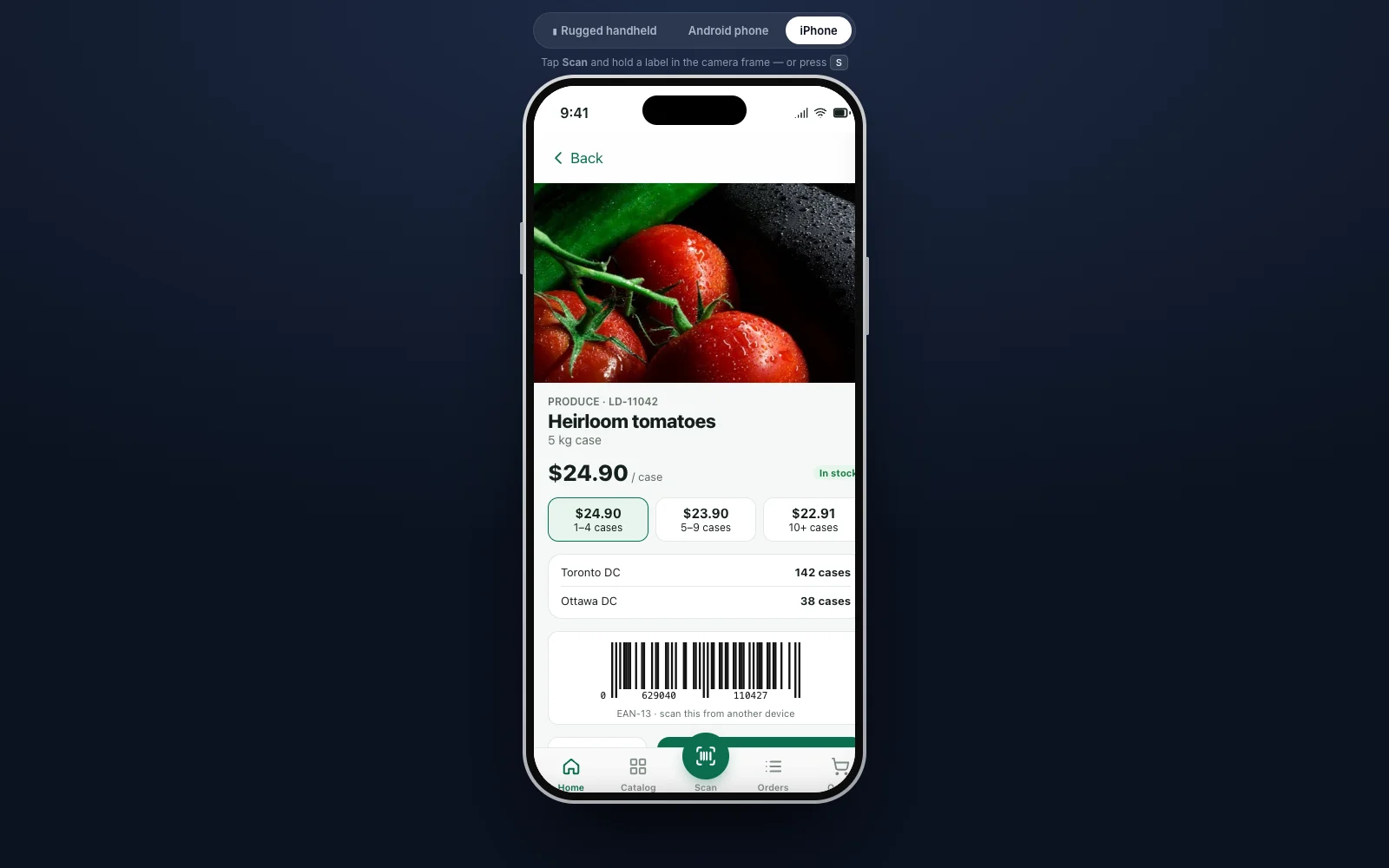
Contract prices, tier pricing and live stock by warehouse
Offline orders that sync when the device reconnects
Chefs, store managers and warehouse staff still re-order by phone, email or a paper order guide. Toro Catalog puts the customer's own catalogue — contract prices, order guide and last order — into an app that orders by scanning the shelf.
One app, three kinds of device
- Rugged handhelds (Zebra TC-class) — the yellow hardware trigger scans through DataWedge from any screen, with the beep, vibration and LED feedback warehouse teams expect
- Android phones — camera scanning with a live viewfinder, torch and Material-style navigation
- iPhone — the same flows with native iOS conventions
What's inside
- EAN-13 / UPC scanning with check-digit validation, continuous scan sessions and manual entry
- Tier pricing, stock by warehouse, minimum-order and free-delivery thresholds
- Delivery-day selection, PO numbers, reorder-last-order and an order history
- Offline mode: orders queue on the device and send when the connection is back
- Connects to SAP S/4HANA or ECC (OData), or any ERP with an API, for prices, stock and order creation
Switch devices at the top of the demo above. On the handheld, press a yellow trigger (or the S key) on any screen.
Want Toro Catalog on your own data? We'll show you how it connects to your systems in a 30-minute call.
Book a walkthrough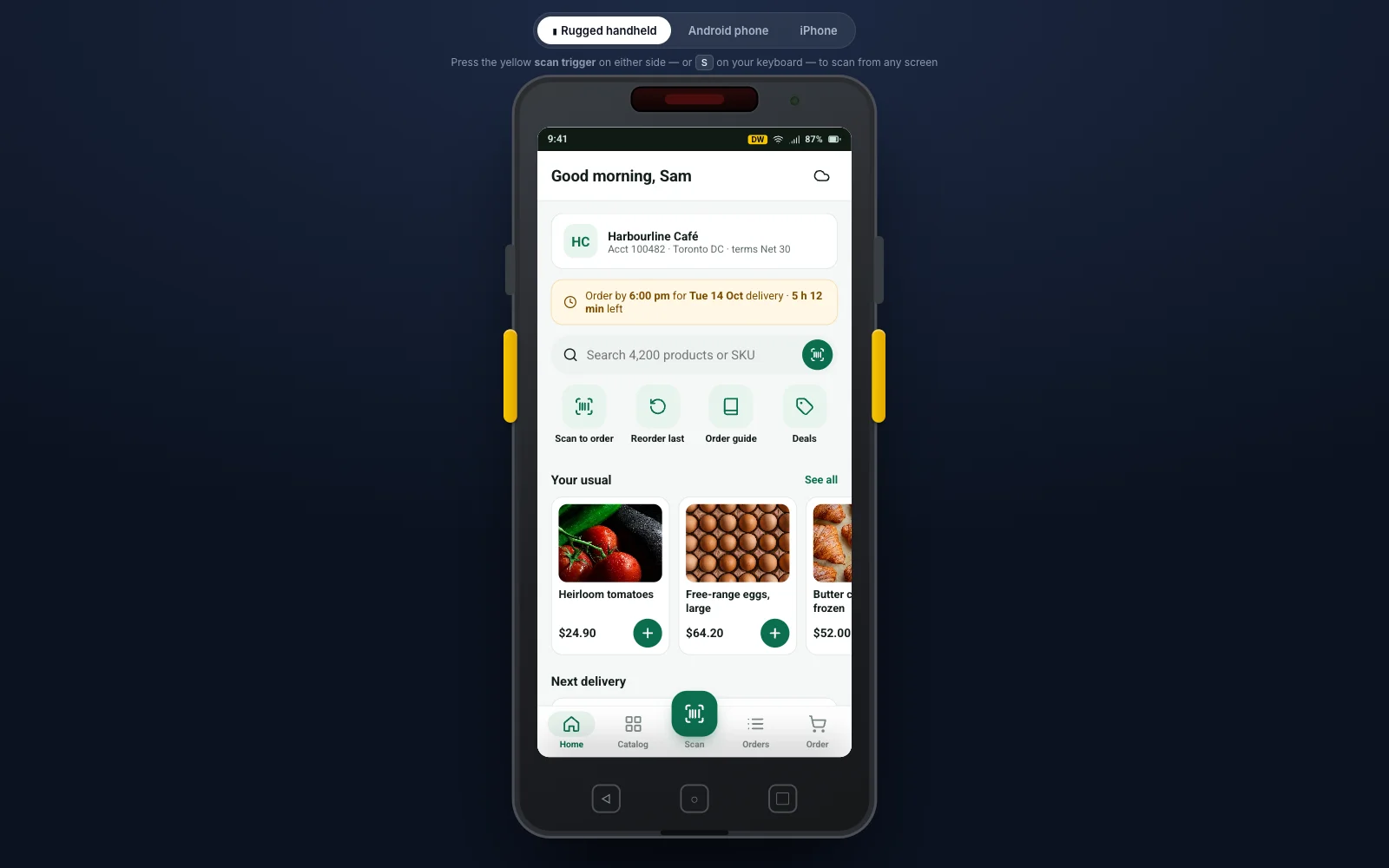
More products
Tell us about the process that hurts.
A 30-minute call is enough to tell whether an agent, an extension or a plain good Fiori app is the answer. No deck, no discovery fee.