Toro Approvals
Interactive demoApprove purchase requisitions in seconds, with the budget in front of you.
A working demo on sample data — click around, nothing is saved or sent. Open full-screen ↗
Filter, search and bulk-approve requisitions
Budget used on every row; over-budget requests flagged
Reject with a reason the requester sees
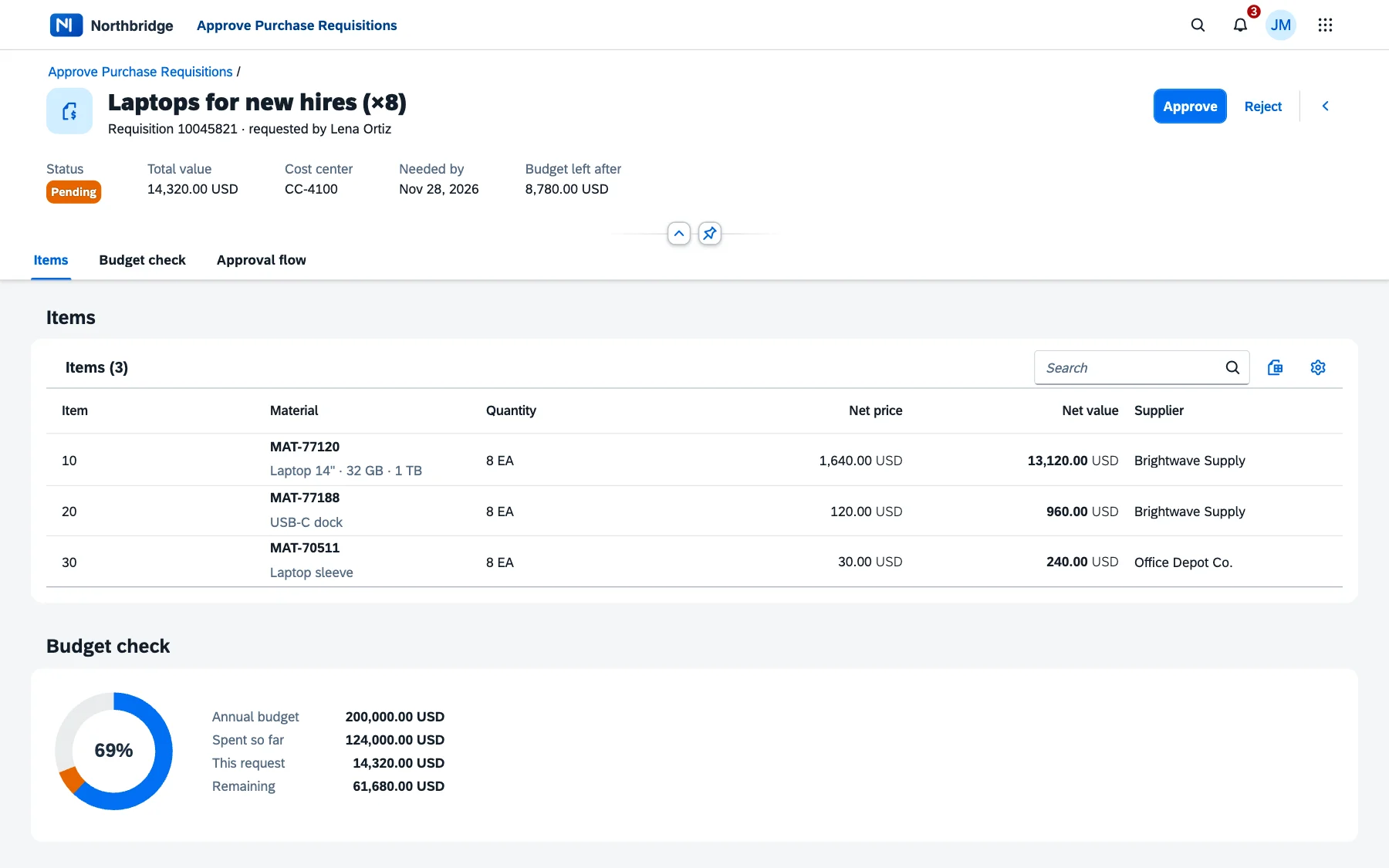
One object page: items, budget check and approval flow
Approvers shouldn't need to open three transactions to decide on a laptop order. Toro Approvals puts every open requisition on one list report with the cost centre, value and budget already used — so the obvious ones are approved in bulk and the questionable ones stand out.
How it fits your landscape
- A Fiori app on SAP BTP that reads and writes through your existing OData services
- Works with your release strategy; decisions post back as standard approvals
- Runs in the Fiori launchpad or SAP Build Work Zone, on desktop and phone
The demo above is the real UI5 front end running on sample data — select a few rows and approve them, or open one to see the budget check and approval history.
Want Toro Approvals on your own data? We'll show you how it connects to your systems in a 30-minute call.
Book a walkthrough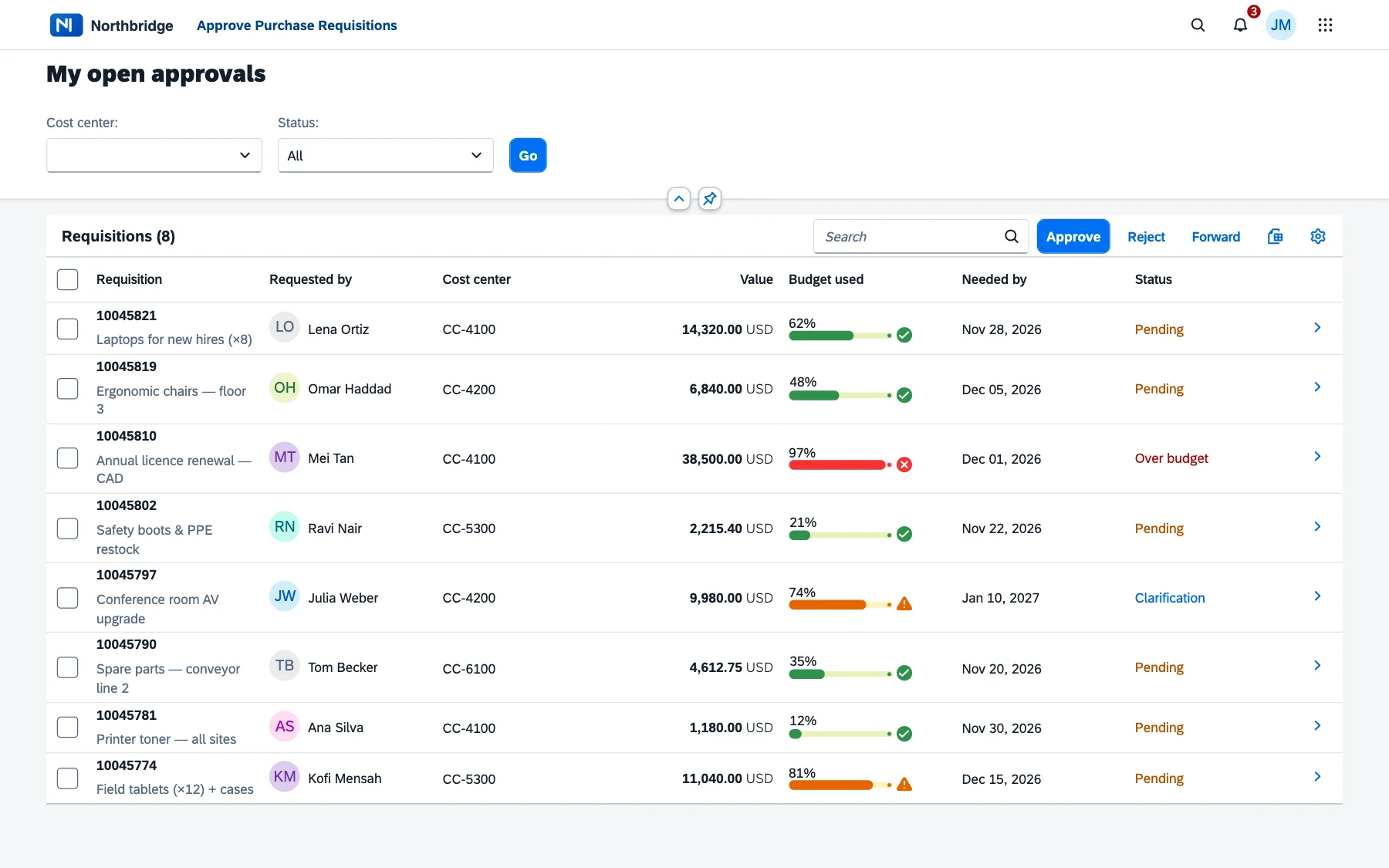
More products
Tell us about the process that hurts.
A 30-minute call is enough to tell whether an agent, an extension or a plain good Fiori app is the answer. No deck, no discovery fee.